
How to Request Tickets
How To Request Online
Note: These Summer 2026 UPDATED instructions may seem long, but are broken out into very detailed steps with screenshots. We recommend reading all details before beginning to request.
!!! IMPORTANT !!!
1. When requesting tickets, please DO NO RE-REQUEST multiple times!
(This adds costs to the Foundation!)
2. Please LOG IN BEFORE you begin to request tickets. See instructions below!
Step 1: Go to the Ticket Event Platform
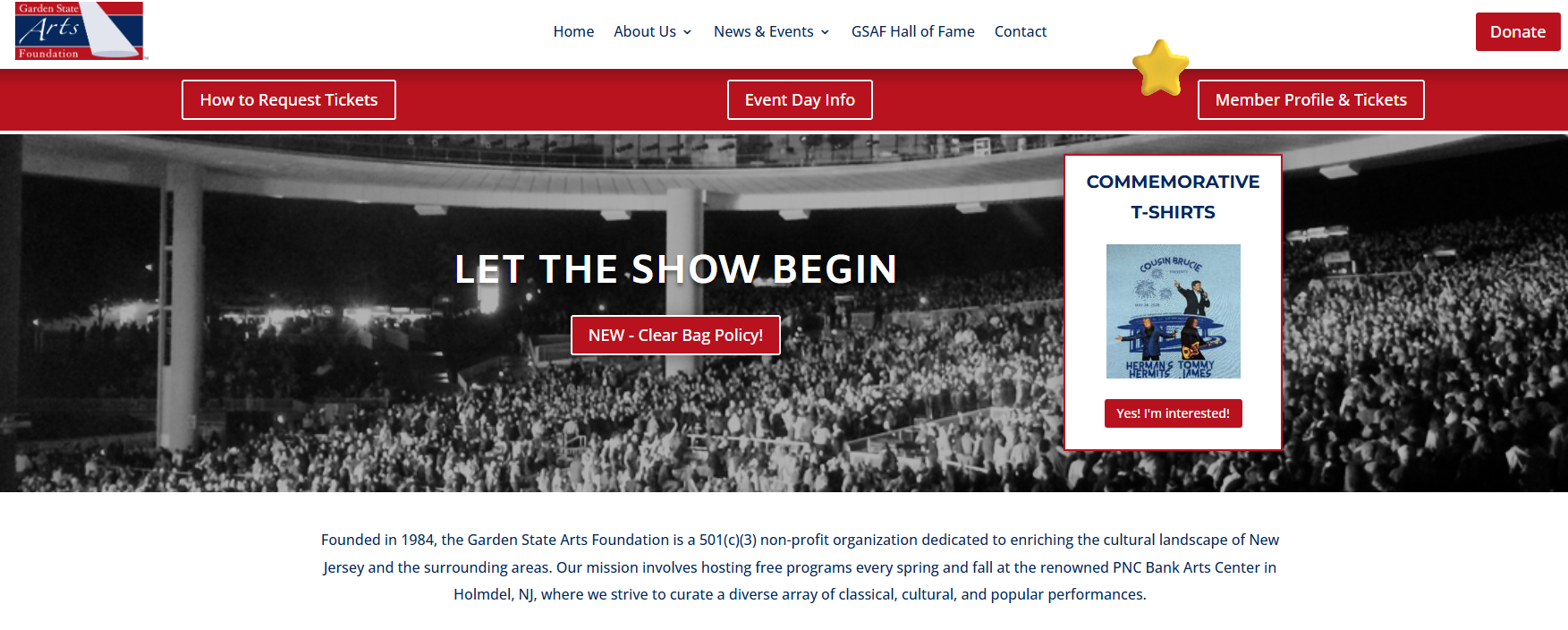
- From the top of our website, click the “Member Profile & Tickets” button at the top-right corner.
- This will open a new page with the e-ticket platform.

Step 2: FIRST Log In to Your Account
- On the right side of the screen, you will see three blue buttons.
- Click the lock icon, which is the middle button.
- This will open the Login/Sign-Up window.
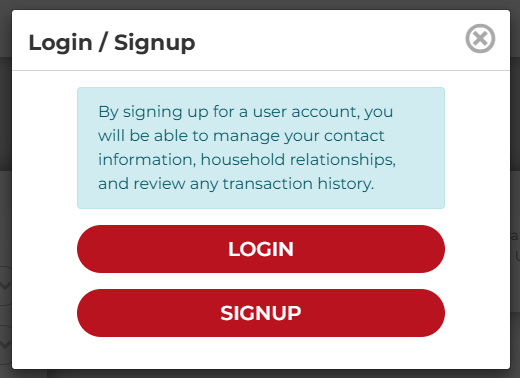
- Click Login button.
- Then enter Username & Password in the boxes and click the blue login button.
- Then proceed to Step 3 below.
IMPORTANT:
- Only if you have never before requested tickets, you select Signup and create an account (be sure to write down your username and password).
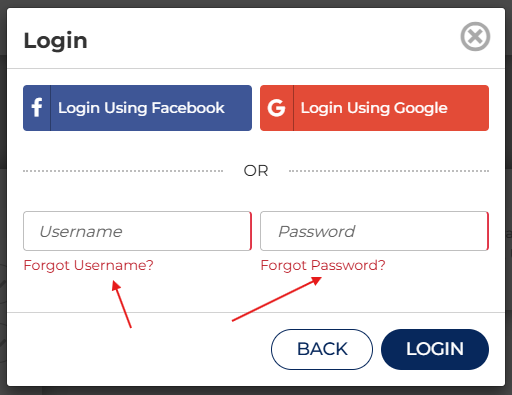
Forgotten Username and/or Password?
If you do not remember your username AND/OR password, below is how you can regain this information.
Please note: If you need both, please recover username FIRST and wait for that email before you proceed with the password reset.
Forgotten Username
- Click the red “Forgot Username?” link.
- Enter your email address in the Recover Username window.
- Click the red “Recover” button.
You should receive an email with your username within up to 24 hours.
Forgotten Password
- Click the red “Forgot Password?” link.
- Enter your username when prompted.
You should receive an email within up to 24 hours containing password-reset instructions and a link to access the website.
Step 3: Now That You’re Logged In…
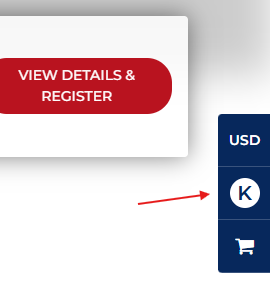
The lock icon on the right side of the screen should now have changed to display the first letter of your first name.
You Can Now…
- Select an event and request your tickets.
- Click your initial to:
-
- double-check your email address
- update your account information
- check your ticket and other transactions
-

Step 4: Request Your Tickets!
Select Your First Show
- Select the red View Details & Register button.

Then:
- Click the red Add to Cart & Continue button to continue.
- You will be directed back to the Events Calendar where you can add tickets to additional shows.
- Be sure to click Add To Cart & Continue Shopping for ALL shows.
(This is important for you to obtain the exact number of tickets you wish to have.) - Or click the red Checkout button if you are done requesting tickets.

Finalize by Checking Out:
- You should see a small number by the Cart icon on the right increase by one each time you add a show (see example below – number indicates 3 shows, not tickets).
- Once you have finished adding tickets to all shows, click the little Cart icon with the number on it, then click Checkout (there will be no cost).
- IMPORTANT NOTE: If you do not check out, the order will not finalize.
- To check if your transaction went through, you can click your initial to view Transactions.
Getting & Using Your Tickets
- The system processes your ticket request within 30 minutes, and you and should receive the email shortly thereafter.
- Tickets will be in the ONE PDF file attached; with one page per ticket.
- The “Ticket Confirmation” email comes from the Garden State Arts Foundation. You may need to add the communications@gsafoundation.org to your Contacts to prevent emails from going to your Spam or Junk folder.
- You can either print or show the tickets on your phone at the event entrance.
- If you do not receive the email in your inbox from within 1 hour of completing checkout, email us for assistance at communications@gsafoundation.org.
- Please do not re-request tickets multiple times!
Group Tickets: If you are an established senior group or organization, please email us for a direct link to request group tickets.
We are here to help! If you have checked all of the above and still need assistance, send us a note and we will get back to you within a business day.
If you have any trouble, please send us an email: communications@gsafoundation.org
We are here to help!
Please contact us here, or email communications@gsafoundation.org:
How to Request Tickets Via Mail
- If you are unable to request tickets online, using the postcard mailed to you, please indicate your choice of shows and number of tickets desired in the box below ‘No. of Tix’. (Note max tickets for individual vs. groups)
- Return with one or more self-addressed, stamped envelopes (legal size, 10″) to:
Garden State Arts Foundation
PO Box 5013
Woodbridge, NJ 07095-5013
For Group Tickets:
- For established senior groups / organizations only.
- Please include multiple envelopes with sufficient postage.